
An unreliable power supply can cost a business far more than the value of the electricity it loses. A short outage may interrupt payments, disconnect staff from essential systems and leave customers waiting. Longer disruptions can spoil stock, damage equipment and create a backlog that takes hours or even days to clear.
These costs often remain hidden inside payroll, repairs and lost sales. Understanding where they occur helps you protect daily operations and plan practical improvements before the next interruption.
Hidden Expenses of Power Outages
Lost revenue is the most visible expense during an outage, but it’s rarely the only one. Employees may still need to be paid while computers, production lines or payment terminals sit idle. Once power returns, they can spend additional time recovering files, checking equipment and contacting customers whose orders were delayed.
There may also be physical damage. Sudden shutdowns and voltage fluctuations can affect network devices, refrigeration systems, motors and sensitive electronics. If stock relies on controlled temperatures, even a relatively short interruption may lead to waste. Emergency repairs, express shipping and temporary equipment hire then add to the bill.
An assessment of the hidden costs of downtime should account for lost output, recovery labor, missed opportunities and reputational harm. Review previous interruptions and record every related expense. Include overtime, refunds, replacement stock and delayed invoices. This creates a more realistic figure for what unreliable power costs your business and helps justify preventive maintenance.
Why Downtime Hurts Business Flow
Downtime disrupts connected processes, so one stalled task can quickly affect the rest of the day. If an office network goes offline, staff may lose access to customer records, booking tools and shared documents. In a retail setting, unavailable payment systems can create queues and abandoned purchases. An industrial workspace may need to complete safety checks before restarting equipment, extending the disruption beyond the outage itself.
Your response should begin with identifying which systems cannot tolerate an interruption. Map the tasks that depend on each electrical circuit, data connection or piece of equipment. Note how long the business could operate without them and what backup process staff should follow.
Frequent tripping, flickering lights, warm outlets and unexplained equipment resets need professional attention. For businesses on the Central Coast, a commercial electrician service can inspect commercial electrical systems and support needs such as switchboard upgrades, three-phase power work, data cabling, testing and emergency lighting checks. Early investigation may uncover overloaded circuits or ageing components before they cause a longer shutdown.
Ensuring Continuous Business Operations
A continuity plan gives staff clear instructions when electricity becomes unavailable. Start with a short priority list covering people, essential systems and customer communication. Assign responsibility for shutting down equipment safely, checking critical areas and notifying customers about delays.
Keep the plan accessible without relying on the company network. A printed copy near the main switchboard and an offline version on key staff devices can remain available during an interruption. Contact details for building management, electrical support, internet providers and equipment suppliers should also be easy to find.
Next, set realistic recovery targets. A booking system may need to return within 15 minutes, while archived documents could wait several hours. Guidance on assessing outage risks recommends examining both the probability of an outage and the financial impact of affected systems.
Practice the plan at least once a year. A brief exercise can reveal simple problems, such as backup contact lists being out of date or staff not knowing which equipment must remain switched off until it has been checked.
Smart Solutions for Power Stability
Regular electrical maintenance is one of the most effective ways to reduce preventable outages. Schedule inspections based on the age of the property, how heavily circuits are used and any changes to equipment. A fit-out, office expansion or new production unit may increase demand beyond what the existing distribution system was designed to supply.
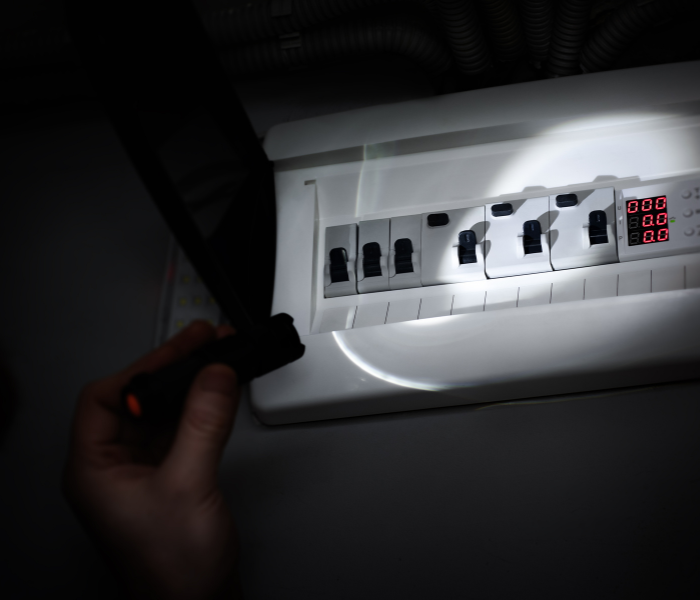
Power monitoring can also reveal patterns that are easy to miss during everyday work. Recorded voltage changes, demand peaks and repeated circuit interruptions can help a qualified professional find developing faults. Switchboard labels should be clear and current, so staff and technicians can quickly identify affected areas.
Backup power needs careful sizing. A small uninterruptible power supply may keep network equipment and computers active long enough to save work or complete a controlled shutdown. Larger systems may be suitable for refrigeration, security or other critical operations, but they need regular testing and safe installation.
Review these areas as part of your stability plan:
- The condition and capacity of switchboards
- Protection for sensitive electronic equipment
- Backup power for priority systems
- Current emergency and exit lighting tests
- Clear shutdown and restart procedures
- Staff training for reporting electrical warning signs
Power stability improves when maintenance, system design and staff preparation support one another. Keep a log of outages and warning signs, including the date, duration and equipment affected. That record gives an electrician useful evidence and makes it easier to spot recurring trouble.
The best time to check capacity is before adding new equipment or changing how a workspace is used. A planned inspection can be scheduled around quieter hours, while an unexpected failure chooses its own timing and often brings a much larger invoice.
collaborative post